
Web + Android app
In and out of the office
How can we help you?
Search FacturaONE guides, articles and features.
FacturaONE · Web ERP + Android app
FacturaONE brings invoicing, customers, purchases and stock together in a web ERP with an Android app. Prepare quotes and delivery notes, issue invoices with VeriFactu and continue managing your business from your mobile or the web dashboard.
30 days to explore and evaluate the software. View terms
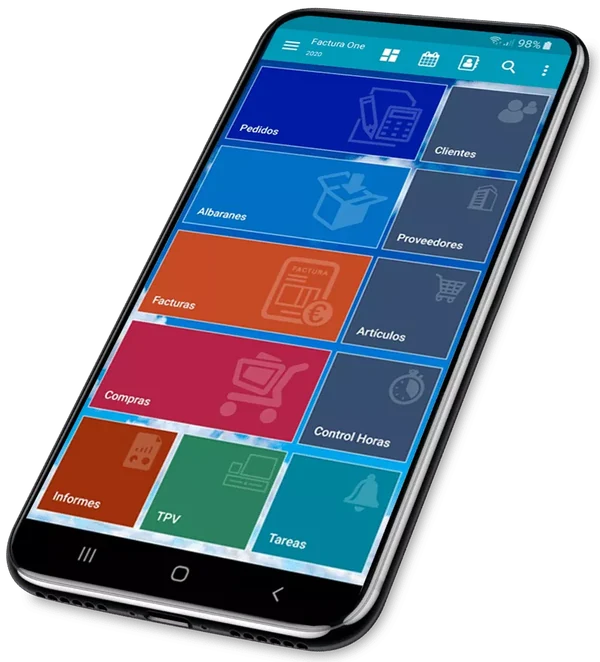
In and out of the office
Tax information in the ERP
Connect your sales channels
Support by email and WhatsApp
Much more than invoicing
From daily management to new ways of selling and delivering. Explore the ERP areas and discover how they work together.
Quotes, delivery notes, invoices and payments received.
Purchases and expensesSuppliers, purchase documents, expenses and payments.
AI CRMContacts, tasks and follow-ups with AI CRM.
Stock and batchesProducts, stock, warehouses and traceability.
POS and retailCounter sales with stock and invoicing.
WooCommerceConnected catalogue, stock, prices and orders.
Routes and deliveriesDelivery notes, drivers and deliveries from your mobile.
Android appBusiness management from the office, the shop and your mobile.
Reports and analysisSales, documents and business information.
API and webhooksDocumented read-only REST API and webhooks.
Customer storeCustomer orders received as quotes.
VeriFactu and taxVeriFactu, TicketBAI and electronic invoicing.
Features and limits vary by plan. Check what your business needs.
Explore the full ERPConnect without limits
Access FacturaONE from your browser and continue the work you do in your Android app. Invoices, customers and products in one management system, wherever you are.
Get to know your dashboard.
Explore the demo to see how you will work with the ERP before starting your trial.
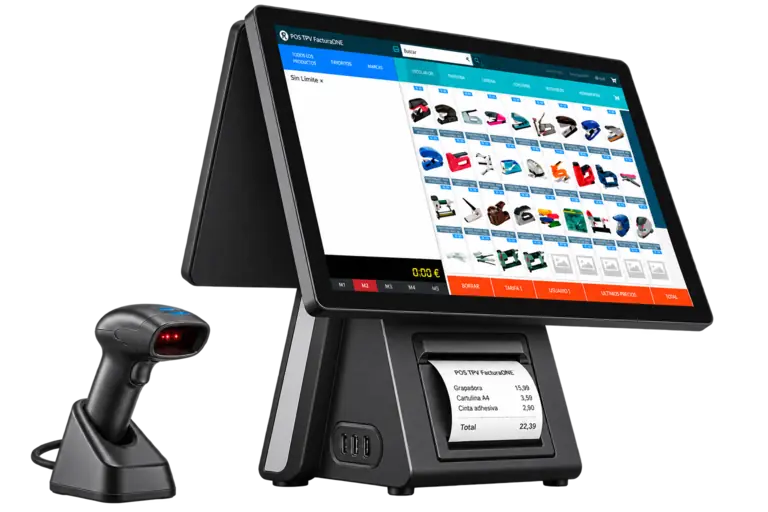
Try the ERP demoWeb POS for your shop
Manage counter sales from a touchscreen or browser. Work with products, customers and documents in the same software you use to manage your business.
Equipment, hosting and website development not included.
WordPress + WooCommerce + FacturaONE
Connect your online store to the ERP to manage the catalogue, customers and orders in one place. Follow the installation guide and watch the video to prepare the connection.
WooCommerce Pro plugin in the Pro plan and WooCommerce Premium option in Empresa. Check the features before connecting your store.
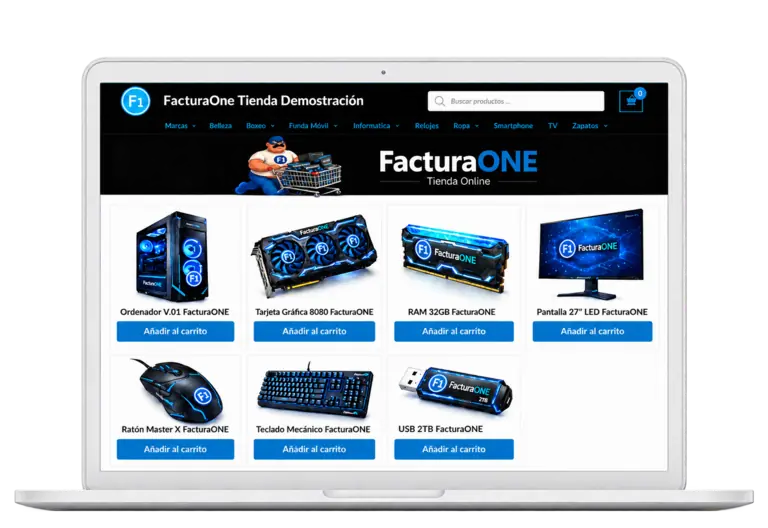 How to connect WooCommerce to FacturaONEWatch video on YouTube
A visual guide to help you install the plugin.
Products and variations, categories and brands, images, descriptions and prices. The integration also covers customers and receiving completed WooCommerce orders in FacturaONE.
The integration retrieves orders marked as completed in WooCommerce and imports them into FacturaONE. Follow the installation and setup procedure in the guide to connect the store to your ERP account.
A WordPress website with WooCommerce, WordPress administrator permissions and a FacturaONE account. The Pro plan includes the WooCommerce Pro plugin; Empresa offers the WooCommerce Premium option. View plans and features.
An ERP that keeps moving forward
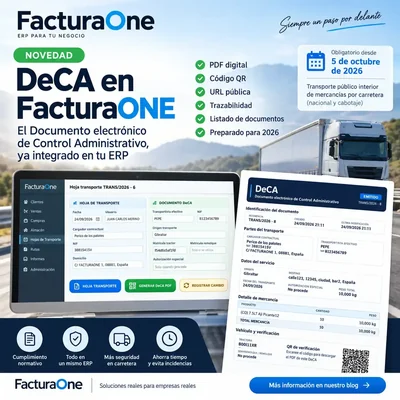
Digital transport
A digital transport document with a PDF and its own URL, for services that need it.
Discover DeCA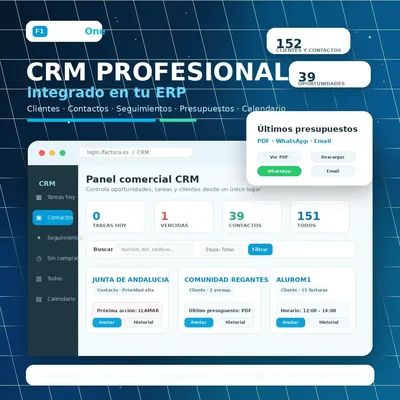
CRM + AI
Contacts, tasks and follow-ups. AI CRM helps you prioritise your next sales action.
Explore the AI CRM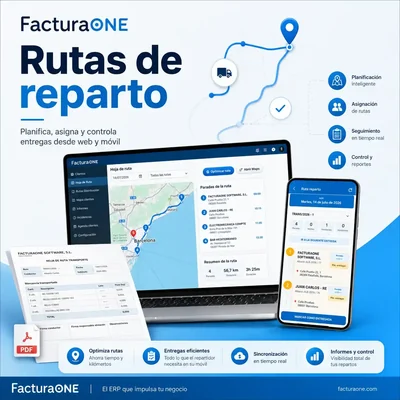
Routes + Android
Plan from the office and support deliveries with information about each stop.
Explore routes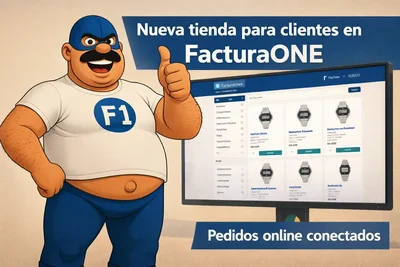
Customer store
A private space to browse your catalogue and place orders directly with your business.
Discover the private store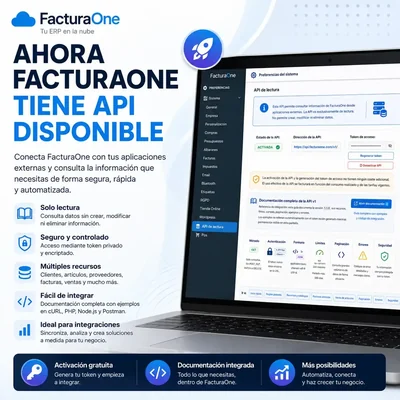
API + webhooks
Access FacturaONE data and receive change notifications through the API and webhooks.
Explore integrations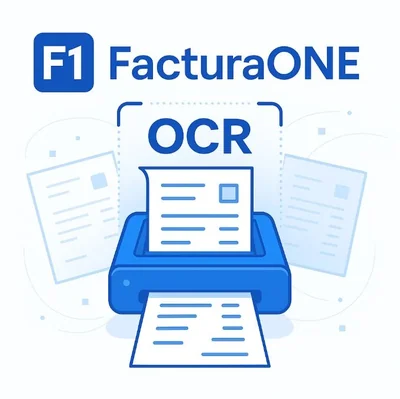
Purchase OCR
Use invoice recognition to speed up purchase document entry.
Explore invoice OCRThe app that understands your business
Customers, catalogue and documents on your Android. Look up what you need on a visit or during deliveries and continue managing your business on the web.
Guides, news and updates
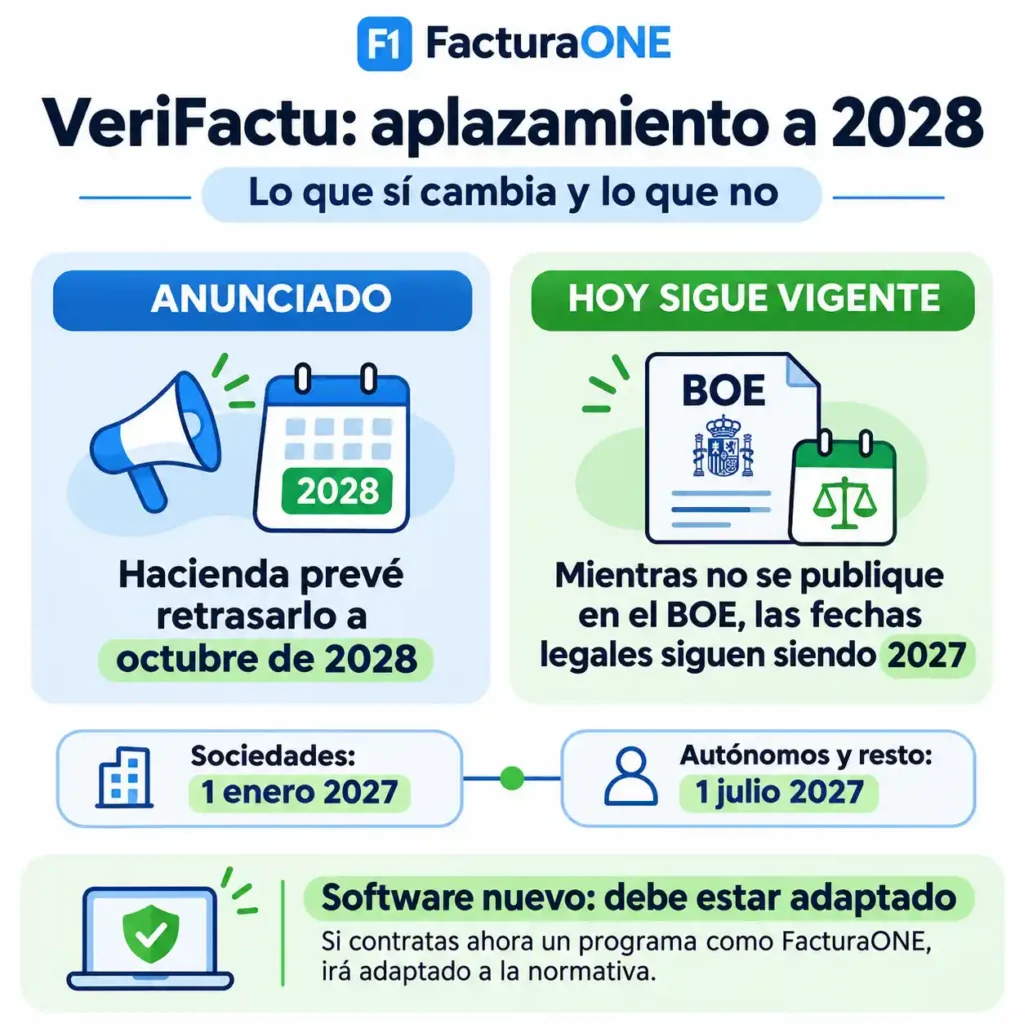
Fiscalidad
El reciente anuncio de Hacienda sobre el aplazamiento de VeriFactu hasta octubre de 2028 está generando muchas dudas entre empresas y autónomos. Una de las preguntas…
Leer artículo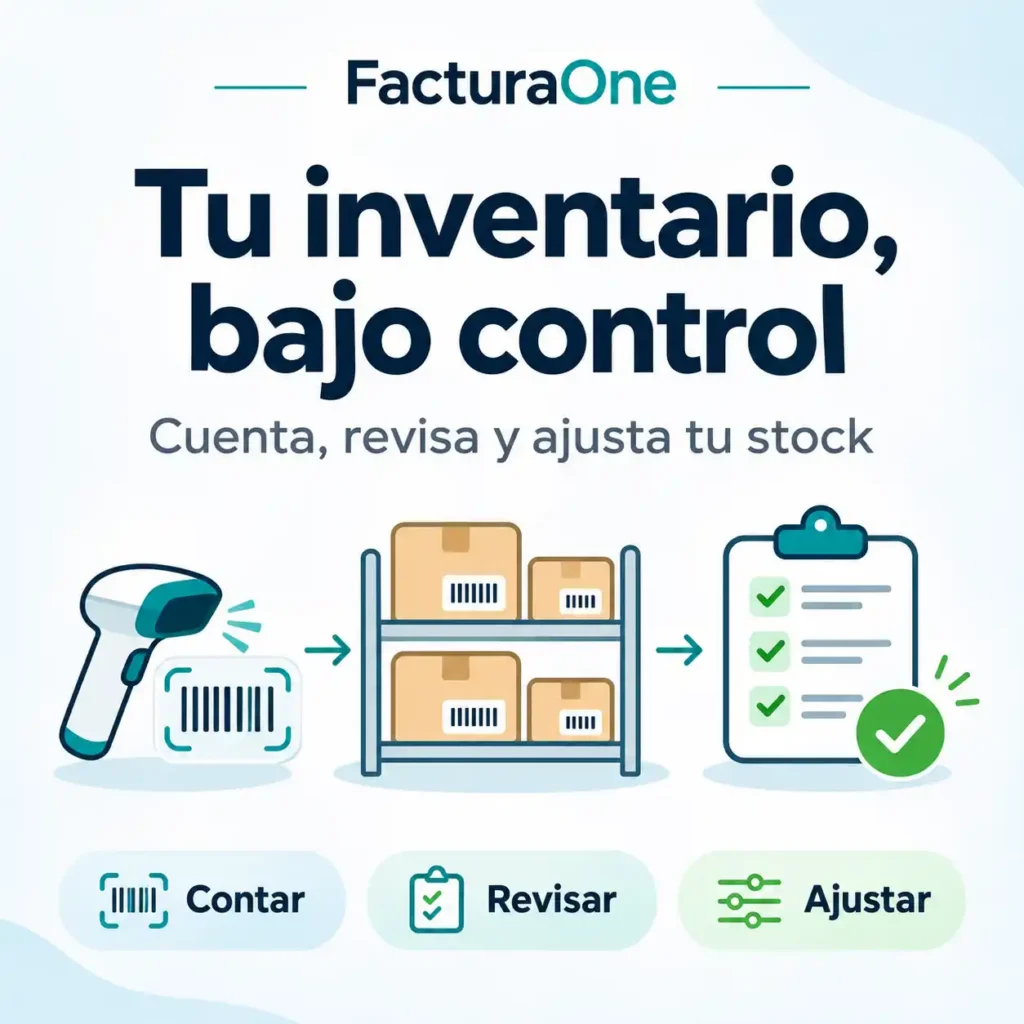
Gestión
El nuevo módulo de Inventario de FacturaOne reúne en un mismo lugar las herramientas para contar tus productos y corregir las existencias. Encontrarás el acceso en…
Leer artículo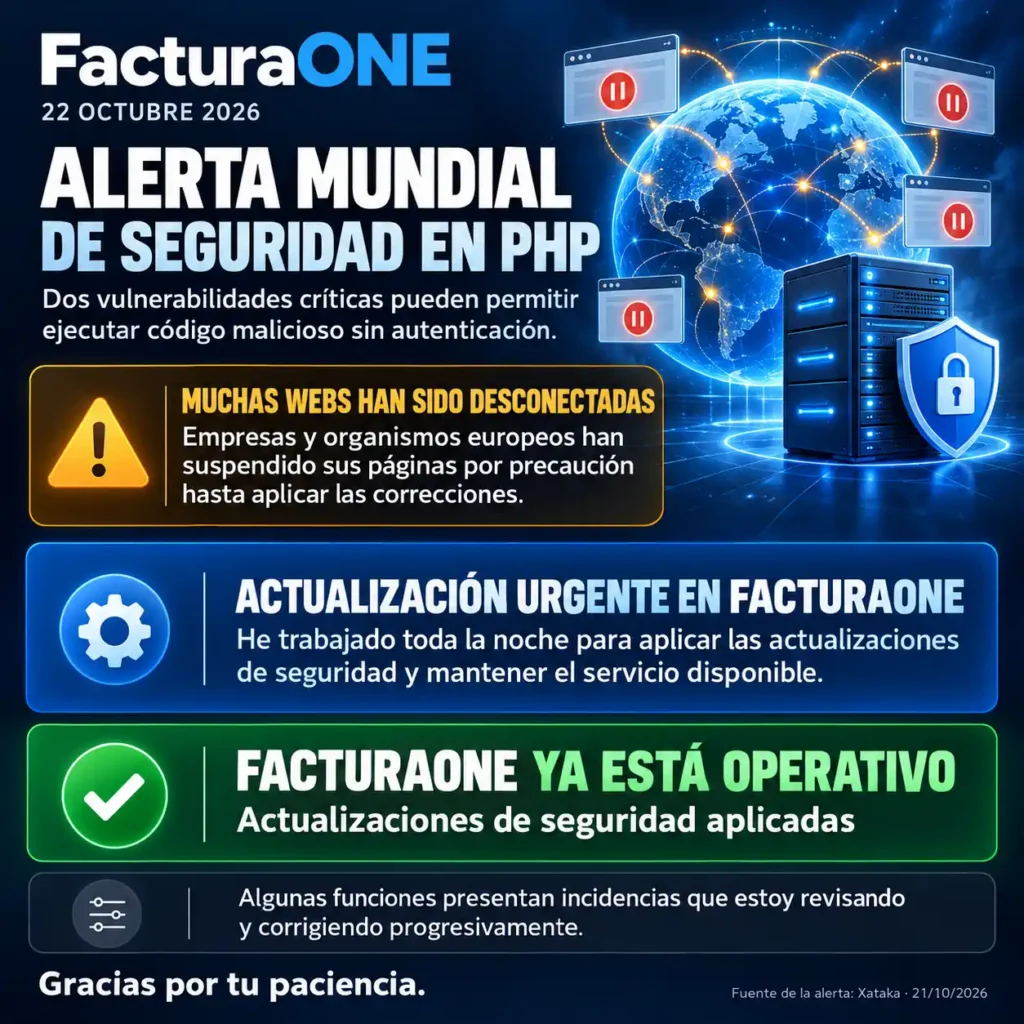
Gestión
Después de un laborioso trabajo de actualización y adaptación, FacturaONE ya incorpora las correcciones de seguridad de PHP publicadas ante esta alerta mundial. La actualización necesaria…
Leer artículoFiscalidad
Hacienda anuncia un nuevo aplazamiento de VeriFactu hasta octubre de 2028 y prepara la coordinación de su calendario con la…
CRM y reparto
🚚 Todos tus DeCA de 2026, GRATIS. Crea el primero desde tu móvil con FacturaONE
¿Tienes una empresa de transporte? Tenemos un regalo para ti: en FacturaONE te regalamos la emisión de todos tus DeCA…
CRM y reparto
La opción DeCA ya está disponible en la app Android de FacturaONE. Ahora las empresas de transporte y los transportistas…
CRM y reparto
FacturaONE incorpora DeCA: PDF digital, QR y URL
Antes de empezar: ¿el DeCA es obligatorio para tu reparto? No todas las empresas que reparten mercancías están obligadas a…
Gestión
Calendario laboral 2027 en España (provisional)
¿Quieres saber qué días serán festivos en 2027, cuándo cae Semana Santa o cuáles serán los mejores puentes del año?…
Comercio
FacturaONE Devices: cómo configurar impresoras, cajón y escáner
FacturaONE es una aplicación web, por lo que normalmente se utiliza desde un navegador. Sin embargo, algunos trabajos necesitan acceder…
Producto
Documentación completa de la API v1.6.0 · Webhooks v1.1.1
Consulta clientes —incluidas sus condiciones de pago—, artículos, proveedores, facturas, pagos, cobros, ventas y catálogos auxiliares mediante una API REST…
Producto
API de lectura de FacturaOne para integraciones externasAPI
FacturaOne incorpora una nueva API de lectura diseñada para facilitar la conexión del ERP con aplicaciones externas, tiendas online, plataformas…
CRM y reparto
En muchas empresas, el reparto diario todavía se organiza con papeles, llamadas, mensajes de WhatsApp y albaranes sueltos. Esto puede…
People already using FacturaONE
Read users' reviews and learn about their experiences with the software.
Get answers to your questions
Invoicing, VeriFactu, pricing and ways of working with FacturaONE.
All frequently asked questionsFacturaONE is online invoicing ERP software with CRM, designed for self-employed professionals and SMEs that need to manage their business simply and professionally. Create invoices, quotes and delivery notes, manage customers and products, record expenses and work from Android or the web wherever you are.
FacturaONE includes invoicing features with VeriFactu (AEAT) and integration with TicketBAI. Before issuing invoices, configure your company's tax details and discuss the mode and requirements for your situation with our support team. Issuing actual invoices and tax submission require an active paid subscription.
FacturaONE offers a free one-month trial with no commitment. Afterwards, you can access the professional version from €20.00 per month + VAT, including backups, updates and professional support.
View pricing
Yes. The official FacturaONE Android app lets you create invoices, record expenses, manage inventory and view all business information in real time.
Download FacturaONE on Google Play
Yes. FacturaONE has an official WordPress plugin that synchronises products, stock, orders and customers with WooCommerce. It is ideal for businesses combining a physical shop, an online store and professional invoicing in a single ERP.
More information about the plugin
Yes. FacturaONE supports real-time multi-user working. The Professional licence includes 2 users and you can add more sales representatives or employees when you need them, assigning permissions according to each person's role in the company.
FacturaONE data is stored on secure cloud servers, with automatic backups and redundancy. This protects your invoice, customer and product information against data loss and makes it accessible from any internet-connected device.
Sign up on the website or download the Android app. You have 30 days to explore, configure and evaluate FacturaONE. You can explore business management from the browser and your mobile; issuing actual invoices and using tax submission require an active paid subscription.
An informed choice
Check the features, capacity and terms of each plan. Start with 30 days to explore and evaluate FacturaONE.
Take the next step
Explore the software and discover how it fits the way you work.
Evaluation trial. Issuing actual invoices and tax reporting require an active paid subscription.
