
Sales and invoicing
Customers, quotes, delivery notes, invoices and payments received. Your documents are part of the same workflow.
Explore VeriFactuFacturaONE features
Quotes, invoices, customers, purchases and stock in one management system. Discover how to connect the office, mobile work, counter sales and your WooCommerce store.
30 days to explore and evaluate the software. Issuing actual invoices and tax reporting require an active paid subscription.
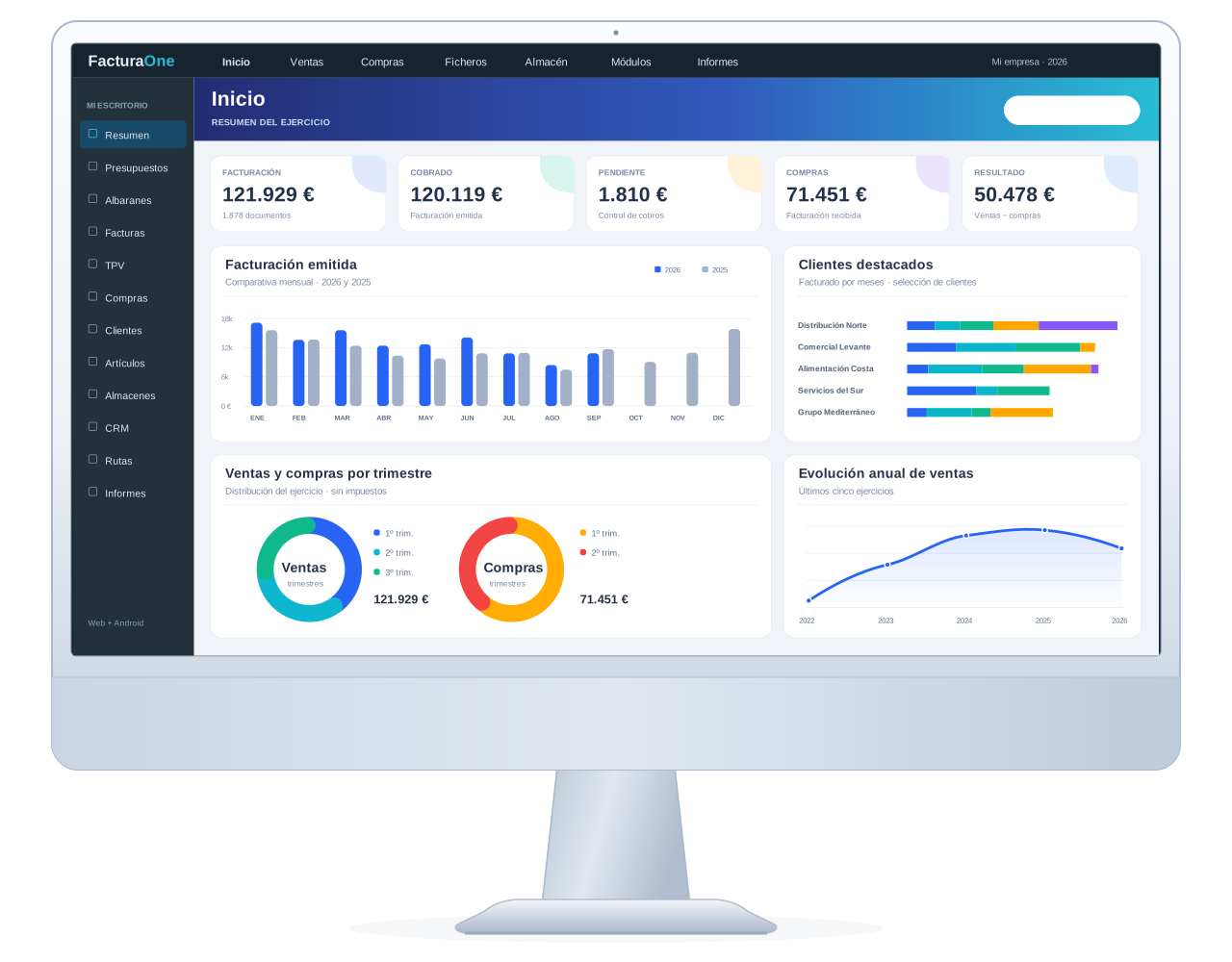
01 · Web ERP
Access the web dashboard from a PC, Mac, tablet or iPad. Bring your business and administrative information together and continue the work you do on Android.
Organise your contacts, product references, prices and company details to work from a common data source.
Prepare proposals, manage delivery notes and issue the invoices for each transaction.
Review documents and payments, and use reports to track your business's progress.
Customers, quotes, delivery notes, invoices and payments received. Your documents are part of the same workflow.
Explore VeriFactuOrganise suppliers, purchase invoices and payments. Link purchases to your catalogue and stock.
Explore purchase OCRView sales and documents to review activity. For your own analysis, explore the ERP's read-only API.
View the API02 · Invoicing and tax
Prepare your invoices and view their tax reporting status in the same ERP. Work with VeriFactu or with TicketBAI/Batuz in Bizkaia, depending on the regime and configuration that apply to your business.
Compatibility configured for each system and territory, with help to review the setup.

VeriFactu · AEAT
VeriFactu mode sends invoicing records to the AEAT. FacturaONE integrates this process into your document management.
TicketBAI / Batuz · Bizkaia
FacturaONE integrates with TicketBAI/Batuz in Bizkaia and is listed in its register of approved software. Confirm the configuration that applies to your business before activating it.
Issuing actual invoices and tax reporting require an active paid subscription.
Review the territory, obligations and exceptions for your activity with your tax adviser.
Set up your tax details and confirm the workflow you will use with support.
Review the invoice and check the reporting result from the ERP.
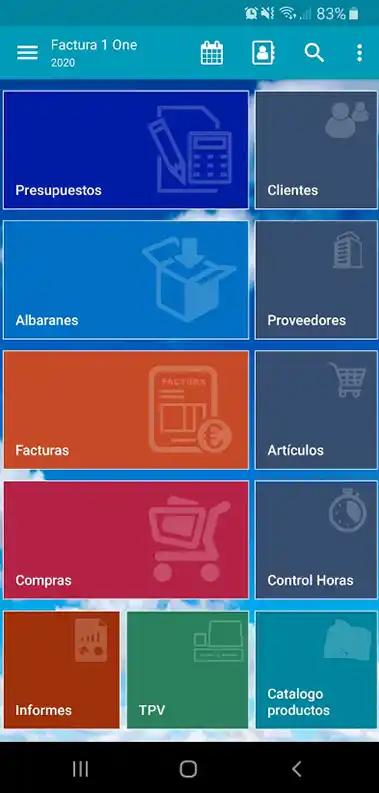
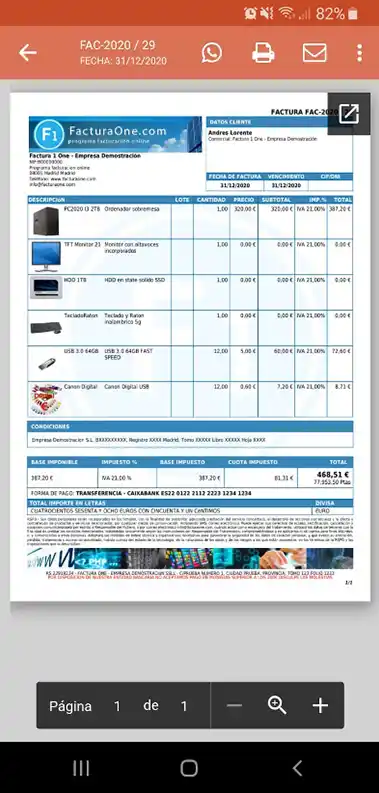
03 · Android app
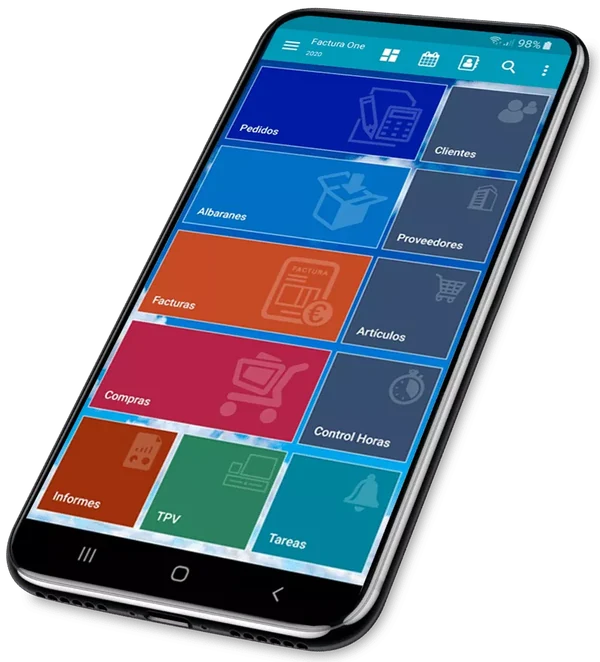
On a customer visit, in the warehouse or out on deliveries: look up customers and products and prepare documents from your Android phone.
Use your FacturaONE account and continue managing your business, connected to the web dashboard.
Browse the catalogue, prepare a quote or work with delivery notes and invoices in the app.
Send the PDF and use the compatible signing and printing options your workflow needs.
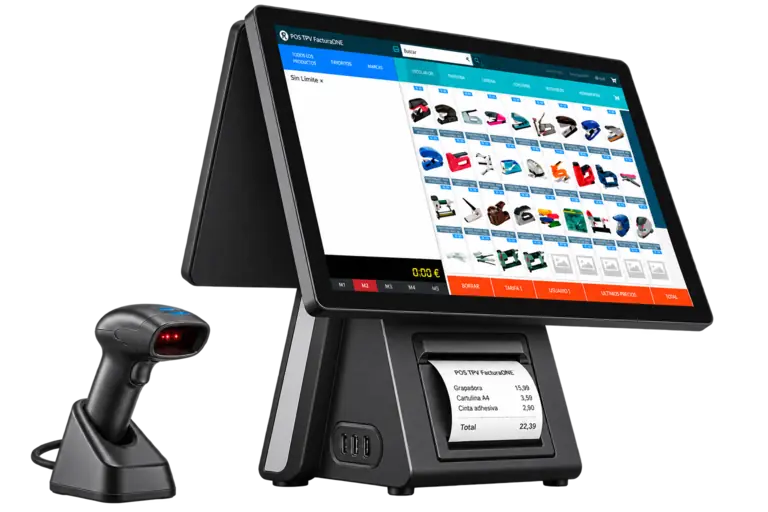
04 · POS for your shop
Use the web POS in a browser or on a touchscreen. Work with products, customers and documents within the same management system.
Browse the catalogue and select the products for the sale.
Review the line items and use the appropriate payment method.
Link the sale to your documents and stock control.
Hardware is not included. Check printer and peripheral compatibility before choosing them. To connect them from Windows, explore FacturaONE Devices.
05 · WordPress + WooCommerce
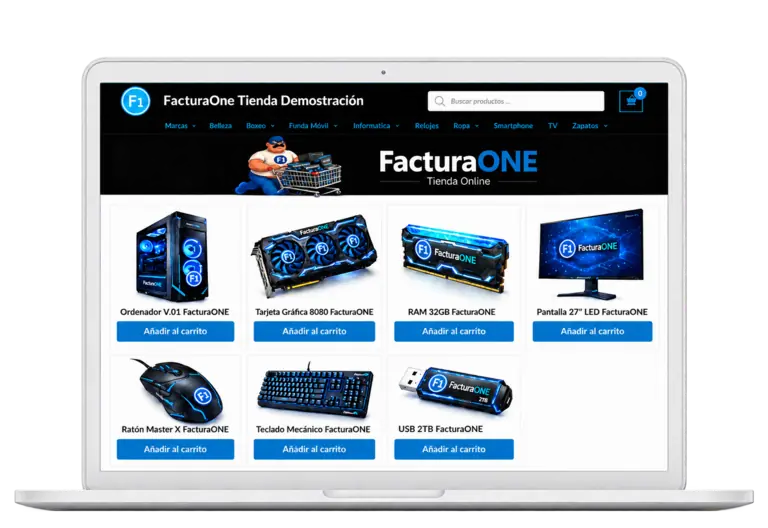
The official plugin connects WooCommerce to the ERP to manage your catalogue, customers and completed orders. Follow the guide to set up the connection.
You need a working WooCommerce store and administrator access.
Find your integration access details in Settings → Catalogue → WooCommerce.
Enter the details in WooCommerce → FacturaONE → Settings and check the connection.
Synchronise products, variations, images and prices, and receive completed orders in the ERP.
WooCommerce Pro in the Pro plan; WooCommerce Premium in Empresa. The customer provides the store and hosting. Check the features of each option.
 Step-by-step installation and setupWatch the tutorial on YouTube
Products and variations, categories and brands, images, descriptions, prices, customers and completed orders.
More areas, one management system
Explore the ERP features in more detail and read the guides. Availability and capabilities depend on your chosen plan and configuration.
Organise contacts, tasks and sales follow-ups. View the CRM recommendations to prepare your next action.
Explore the CRMCheck stock and record incoming and outgoing batches. Link batch tracking with purchases and sales.
View stock and traceabilityPlan routes and assign delivery notes and drivers. Keep stop and delivery information with you on Android.
Explore delivery managementExplore the digital DeCA, its PDF and QR code for viewing the transport control document.
Explore DeCAPrepare purchase invoice records with the help of data recognition. Review the extracted information before confirming.
Explore OCRConnect your own applications through the read-only REST API and authorised resources. API usage incurs an additional charge based on consumption.
View the documentationGive your customers access to the catalogue and order requests. See how this ERP solution works.
View the customer storeFind answers in the product instructions and help search, or discuss your requirements with our team.
Read the guidesFrom your first visit to your first trial
Get to know the software before deciding which plan suits your business.
Go to registration and choose Google or email.
Set up your details and organise customers and products.
Evaluate the web and Android app for 30 days.
Review the features and terms before issuing actual invoices.
Before you start
If you need to review a specific way of working, tell us about your requirements.
Talk to FacturaONEYes. Your FacturaONE account gives you access to the web dashboard and the Android app. Check the pricing page for the users and capacity included in each plan.
Use the web dashboard in your browser. The mobile app is available for Android; on iPad, access is through the web dashboard.
No. Plans do not include hardware. Check the compatibility and configuration of printers, displays and other peripherals before buying them.
A WordPress store with WooCommerce and administrator access. The Pro plan includes WooCommerce Pro; the Empresa plan includes WooCommerce Premium. The customer provides the store and hosting. Check each option's features and the connection guide.
The 30-day trial lets you explore, configure and evaluate the software. Issuing actual invoices and using tax submission require an active paid subscription. Prices and terms are available under plans and features.
Now, see for yourself
Explore the demo or start a trial to discover the features your business needs.
Also on Android · Download on Google Play